
Most teams don’t fail to document their database. They document it once, in a burst of good intentions after a painful onboarding or a bad migration, then watch it go stale within a few sprints. Six months later the wiki page describes a schema that no longer exists, and nobody trusts it enough to open it.
The failure isn’t a lack of effort. It’s a small number of repeatable mistakes that show up in every data engineering, lead dev, or DBA team that owns production schemas. Here are the five that appear most often, and what changes when a team fixes them.
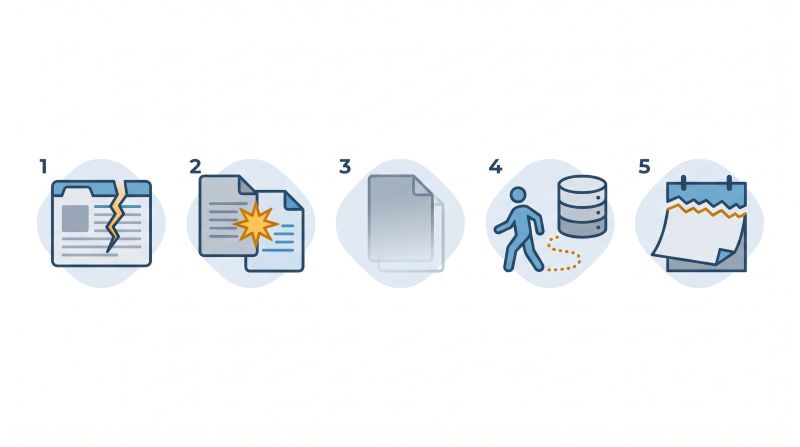
Mistake 1: Writing documentation by hand, separately from the schema
A wiki page or shared spreadsheet lives in a different place from the database it describes. Every time a column gets added, renamed, or dropped, someone has to remember to update two things instead of one. Most of the time, only one gets updated.
This is the single biggest reason documentation dies. It’s not that developers don’t care. It’s that manually-maintained docs and an evolving schema drift apart by design, and nobody notices until a new hire follows the outdated page straight into a bug.
The fix is structural, not behavioral: generate the documentation from the live schema itself. A tool that reads table and column definitions, foreign keys, and constraints directly from the database produces a reference that can’t drift, because it isn’t hand-copied in the first place.
Mistake 2: Documenting structure but not meaning
A generated schema diagram shows that cust_stat is a varchar(2) column with no foreign key and no constraint anchoring its values. It doesn’t show that "AC" means active, "SU" means suspended, and "PN" is a legacy pending state that hasn’t been assigned since 2021 but still shows up in 4% of rows.
Structure is necessary but not sufficient. The column names, data types, and relationships tell you what a database looks like. They don’t tell you what it means, and meaning is exactly what a new developer or a downstream analyst needs to avoid a wrong assumption.
[EXTERNAL LINK: ISO/IEC 11179-1:2023 “Information technology – Metadata registries (MDR) – Part 1: Framework” – https://www.iso.org/standard/78914.html]
The ISO/IEC 11179 metadata registry standard family exists precisely because structural metadata and semantic metadata are different problems that need different documentation. Good database documentation captures both: the type and the constraint, but also the business rule behind the value.
Mistake 3: No single source of truth
Documentation drift usually isn’t one document going stale. It’s three or four: a Confluence page from the original design, a README in a repo nobody opens anymore, tribal knowledge in a Slack channel’s search history, and whatever the most recent developer told the newest hire over a call. Each one is partially right and partially wrong, and none of them agree.
When there’s no single canonical reference, every developer ends up with their own private, incomplete mental model. Bugs happen not because information doesn’t exist somewhere, but because the right piece of information wasn’t in the place the developer looked.
The fix isn’t “write better documentation.” It’s consolidating to one generated, always-current source, and deprecating the rest so nobody has to guess which version is real. That’s exactly the job of a live schema reference, like the one SQLInfo generates automatically from your database, where the wiki page is replaced instead of duplicated.
Mistake 4: No ownership when the original author leaves
Every schema has an author, and every author eventually leaves the project, the team, or the company. The tables they built don’t leave with them, but the reasoning behind certain design choices often does, unless it was written down somewhere durable.
A 2018 Panopto/YouGov survey of 1,000+ US employees puts numbers on this: 42% of the unique knowledge tied to a job role sits with a single employee, and new hires can take up to six months to reach full productivity without that context. A database is one of the most concentrated forms of undocumented institutional knowledge a company holds, because a schema encodes years of decisions in a form that isn’t self-explanatory.
Assigning documentation ownership to a role rather than a person, and generating the baseline automatically so the human only needs to annotate business context, removes the single-point-of-failure problem.
Mistake 5: Treating documentation as a one-time project
A documentation sprint produces a snapshot. Schemas don’t stay still. A table added in a Tuesday sprint won’t appear in documentation written the previous Friday, and within a quarter the “complete” documentation set covers maybe 70% of what’s actually in production.
Teams that treat documentation as a project with an end date are setting up the same failure that created the problem in the first place: a point-in-time artifact describing a moving target. Teams that treat it as a byproduct of the schema itself, refreshed automatically whenever the schema changes, don’t have this problem, because there’s no “documentation sprint” to schedule in the first place.
The five mistakes at a glance
| Mistake | Symptom you see on the team | What fixing it looks like |
|---|---|---|
| Hand-written docs | Docs lag the schema by weeks, nobody trusts the wiki | Docs generated from the live schema |
| Structure without meaning | varchar(2) columns nobody can decode | Business context layered on generated structure |
| No single source of truth | Four conflicting references per database | One canonical, auto-refreshed reference, the rest deprecated |
| Ownership tied to a person | Knowledge leaves with the departing dev | Ownership on a role, auto-generated baseline |
| One-time documentation project | “Complete” docs are 70% accurate within a quarter | Docs as a byproduct of the schema, refreshed automatically |
What changes when a team fixes all five
None of these five mistakes require more discipline, more meetings, or a better wiki template. They require moving documentation out of a manually maintained document and into something generated directly from the schema, then layering business meaning on top of that generated structure.
Concretely, the team gets:
- A reference that matches production on any given day, without a documentation sprint
- Onboarding measured in days instead of weeks, because the schema explains itself
- A durable record of business rules that survives staff departures
SQLInfo builds documentation this way: pulled straight from your live database, kept synchronized as the schema changes, with room to add the business context that structure alone can’t capture. It replaces the wiki page that goes stale with a reference that can’t.
Want your documentation generated straight from your live schema instead of another wiki sprint? See how SQLInfo works on www.sqlinfo.io.
And in your team, how long has it been since your documentation actually matched your production schema?
FAQ
Why does database documentation usually fail within a year?
Because it’s maintained by hand, separately from the schema it describes. Every schema change requires a matching manual documentation update, and in practice that second step gets skipped. The documentation and the database drift apart until nobody trusts the documentation enough to use it.
What’s the difference between documenting structure and documenting meaning?
Structure is the column name, data type, and relationships, the kind of information a schema export already contains. Meaning is what a specific value represents, why a column exists, or what business rule a constraint enforces. Structure can be generated automatically. Meaning has to be added by someone who understands the business logic.
How do you stop database documentation from going out of date?
Generate it directly from the live schema instead of writing it by hand in a separate document. A tool that reads table and column definitions from the database itself produces a reference that updates automatically when the schema changes, rather than one that has to be remembered and manually kept in sync.
Who should own database documentation on a small team?
Ownership should attach to a role, not a specific person, since the person who built a table won’t always be the one maintaining it. Automating the structural baseline reduces how much a human owner has to maintain by hand, which makes the ownership responsibility realistic for a small team to sustain.
Is generated documentation enough, or do you still need to write anything by hand?
Generated documentation covers structure reliably: tables, columns, types, relationships. It doesn’t know why a column exists or what a coded value means in business terms. The most durable approach combines automatically generated structure with a smaller, targeted layer of human-written business context.