
Category: Modeling & Architecture

ER diagrams, relational schemas, reverse engineering, database design, SQL architecture.

  • Database Schema Synchronization: Methods & Best Practices 2026

    Database Schema Synchronization: Methods & Best Practices 2026

    Database Schema Synchronization: Methods & Best Practices 2026

    Database Schema Synchronization: Methods and Best Practices for Teams in 2026

    Database schema synchronization maintains structural consistency across multiple databases or systems – a foundational requirement for teams managing complex, distributed architectures. Log-based Change Data Capture (CDC) has become the standard approach, capturing every change including deletes with minimal performance impact on source systems. This article explores three core synchronization methods (one-way, bidirectional, and hub-and-spoke), their technical trade-offs, and proven best practices for avoiding common pitfalls like circular loops and unhandled conflicts. Teams implementing proper schema synchronization gain real-time visibility into structural changes, maintain data governance standards, and significantly reduce deployment risks across distributed systems.

    Table of contents

    What is Database Schema Synchronization?

    Database schema synchronization is the process of propagating structural changes – table definitions, column types, indexes, constraints – across two or more database instances so they remain consistent. It differs from data replication (which moves rows) by focusing on the structure that governs how data is stored and interpreted.

    Definition and core concepts

    At its core, schema synchronization answers a simple question: when a table changes in one system, how does every other system that depends on that table learn about it and adapt? The answer involves detecting changes (through transaction logs, scheduled queries, or explicit triggers), validating compatibility, and applying modifications in a controlled sequence. The three building blocks are: change detection, conflict resolution, and applied propagation.

    Why synchronization matters in multi-system architectures

    Modern architectures rarely rely on a single database. Microservices, read replicas, analytics stores, and staging environments each hold a copy of some schema subset. When a developer adds a nullable column to a production table without synchronizing downstream systems, queries break silently. According to Streamkap (verified 2026-09-08), the most common pitfalls include syncing unnecessary fields, ignoring data validation, inadequate monitoring, and creating circular loops in bidirectional scenarios – all failures that compound when teams lack a shared view of schema state.

    Three Core Synchronization Methods

    Three architectural patterns cover the vast majority of real-world synchronization needs, each suited to a different topology and risk profile.

    One-way synchronization: Master-slave replication

    One-way (or unidirectional) synchronization designates a single authoritative source and propagates changes outward to one or more replicas. Writes happen only on the primary; replicas are read-only consumers. This eliminates conflict by design – there is no ambiguity about which version wins because only one system can produce changes.

    PostgreSQL introduced built-in streaming replication based on write-ahead log (WAL) technology in version 9.0 (Severalnines, verified 2026-09-08), making unidirectional sync a native capability rather than a third-party add-on. MySQL takes a comparable approach: it uses row-based binary logging (binlog_format=ROW) as the default to replicate individual row changes rather than SQL statements (Hevo Data, verified 2026-09-08), which produces more predictable schema-level consistency.

    One-way sync is the right default when the primary use case is scaling reads, maintaining disaster-recovery replicas, or feeding a reporting layer that never writes back.

    Bidirectional synchronization and conflict management

    Bidirectional synchronization allows writes on multiple nodes, with changes propagated in both directions. The benefit is obvious: any node can accept updates, improving write availability and reducing latency for geographically distributed users. The cost is conflict resolution.

    As StackSync documents (verified 2026-09-08), bidirectional synchronization introduces critical conflict resolution challenges when both systems update the same record simultaneously. Teams must define explicit policies before going live: last-write-wins (based on timestamp or sequence number), source-priority rules, or application-level merge logic. Undeclared conflicts silently corrupt data.

    Multi-system sync: Hub-and-spoke architectures

    Hub-and-spoke extends the bidirectional model to three or more participants by routing all changes through a central hub. Spokes never communicate directly with each other; the hub deduplicates, validates, and re-distributes. This reduces the number of synchronization pathways from O(n²) to O(n), making monitoring and conflict detection tractable at scale. The trade-off is that the hub becomes a single point of failure and a potential bottleneck – it must be designed for high availability from the start.

    How Does Change Data Capture Work in Practice?
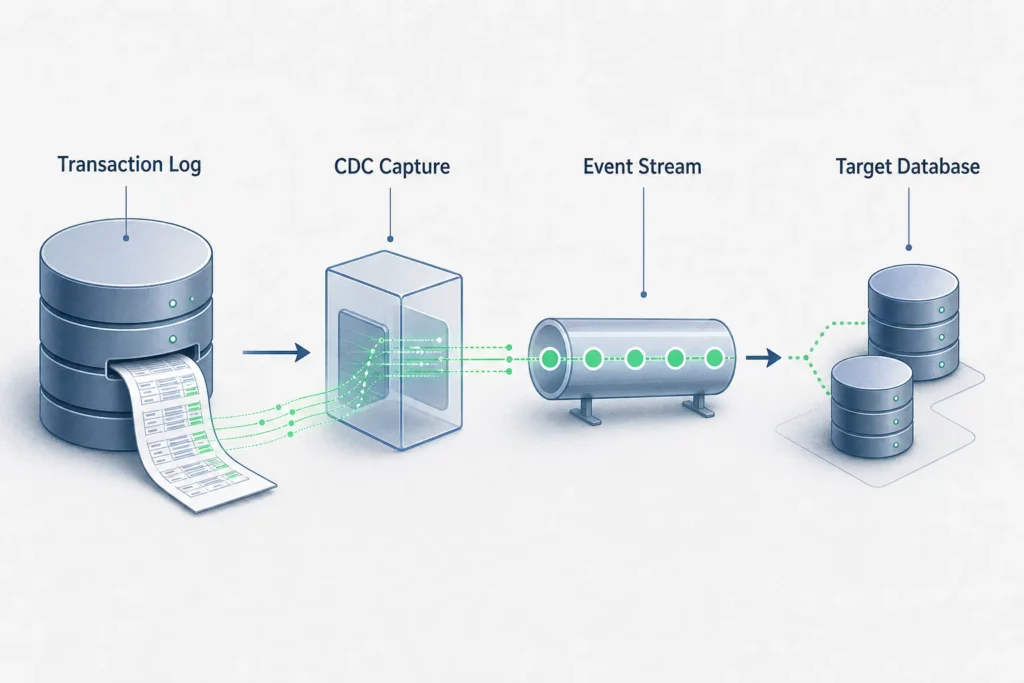
    Infographic : How Does Change Data Capture Work in Practice?

    Change Data Capture (CDC) is the technical mechanism that powers most production synchronization pipelines, regardless of the architectural pattern chosen above.

    How CDC works with database transaction logs

    Instead of polling tables with periodic queries, log-based CDC reads directly from the database engine’s internal transaction log – WAL for PostgreSQL, binlog for MySQL, transaction log for SQL Server. Every INSERT, UPDATE, DELETE, and DDL statement is recorded in the log before it is applied. A CDC consumer reads that log asynchronously, translates entries into a structured change stream, and forwards them to downstream systems. Because it reads a log that the database already maintains, it introduces no additional locking on source tables.

    CDC vs. query-based extraction methods

    Query-based extraction runs a scheduled SELECT (often with a WHERE updated_at > ? predicate) to find changed rows. It is simple to implement but carries three structural limitations: it misses hard deletes (deleted rows leave no trace), it requires a reliable timestamp column on every table, and it imposes query load on the source system during extraction windows. Real-time CDC provides lower latency and reduced load on source systems compared to query-based extraction methods (Striim, verified 2026-09-08).

    Why CDC minimizes source system impact

    Because CDC reads an already-existing log file rather than executing queries, the source database experiences no additional transaction overhead. At peak load – precisely when query-based polling would be most disruptive – CDC remains a background reader with a near-constant footprint. This makes it the standard recommendation for production systems where source availability is non-negotiable.

    Best Practices for Effective Schema Synchronization

    Technical architecture alone does not prevent failures. The following operational practices separate stable synchronization pipelines from fragile ones.

    Automate schema detection and validation

    Schema changes should never rely on manual notification. Automated detection – connecting directly to the database engine and diffing the current schema against a stored baseline – removes the human step that most often breaks synchronization. Automatic schema import and detection eliminates the lag between when a change is deployed and when downstream consumers learn about it. Pair detection with validation gates: before propagating a change, verify that it does not break existing foreign keys or violate downstream constraints.

    Define clear conflict resolution policies

    Every bidirectional or multi-master setup needs a conflict resolution policy written down before the first record is synchronized. The policy should cover: which field determines recency (timestamp, sequence, or version counter), what happens when timestamps are equal, and who is notified when an automated resolution fires. Teams that treat conflict resolution as an afterthought inherit invisible data corruption.

    Monitor and audit changes in real-time

    Synchronization pipelines fail silently more often than they fail loudly. Monitoring means tracking lag (how far behind is the replica?), error rates on applied changes, and schema divergence – a metric most teams skip. Auditing means keeping an immutable log of every structural change with its author, timestamp, and target systems. This log becomes the foundation for compliance and incident investigation.

    Common Challenges and Solutions

    Even well-designed synchronization pipelines face recurring failure modes that teams encounter as systems mature.

    Schema drift and version mismatches

    Schema drift occurs when replicas fall out of sync with the primary over time – a column is renamed in production but the replica still references the old name, or a NOT NULL constraint is added without updating the replica’s table definition. Drift accumulates through hotfixes applied directly to production, migration scripts that run partially, and deployments that skip schema verification steps. The solution is to treat schema state as a versioned artifact: every change goes through a migration with a unique version identifier, and automated checks confirm all targets are at the expected version before deployment proceeds.

    Latency in real-time synchronization

    Network latency, log reader lag, and downstream transformation time all compound. For log-based CDC, the primary levers are: keeping the consumer close to the source (same region or availability zone), sizing the consumer’s throughput to handle peak log volume without queuing, and avoiding expensive transformations in the critical path. Latency budgets must be defined per use case – a read replica serving user-facing queries has a much tighter SLA than an analytics clone.

    Preventing circular loops in bidirectional scenarios

    In bidirectional setups, a change applied to Node B in response to a change from Node A must not be re-propagated back to Node A as a new change. Without loop prevention, a single update cascades indefinitely. The standard countermeasure is to tag each change with its origin node identifier; consumers skip changes that originated from themselves. Any CDC framework used in a bidirectional topology must support origin tagging natively or it will create loops under load.

    Choosing the Right Approach for Your Architecture

    Illustration : Choosing the Right Approach for Your Architecture

    Selecting a synchronization method is an architectural decision with long-term implications – it shapes your failure modes, operational complexity, and scaling path.

    Assessing your system topology and requirements

    Start with two questions: how many systems need to share the schema, and which of them need write capability? If writes concentrate on one primary, one-way replication is the simplest and most reliable option. If write availability across multiple nodes is a business requirement, bidirectional or hub-and-spoke becomes necessary – along with the conflict resolution overhead that comes with it.

    Evaluating CDC versus traditional replication

    For new implementations, CDC should be the default unless the database engine imposes constraints (for example, limited log retention or restricted log access in certain managed cloud configurations). Traditional query-based replication remains viable for low-change-rate schemas where simplicity outweighs latency requirements. Multi-database SQL support for MySQL, PostgreSQL, and SQL Server matters here: a consistent synchronization approach across engine types reduces operational fragmentation.

    Scaling considerations as systems grow

    Hub-and-spoke architectures that work for five nodes can become bottlenecks at fifty. Plan the hub’s throughput ceiling before you reach it, not after. For very large topologies, federated CDC – where regional hubs aggregate local changes before forwarding to a global hub – distributes the load while maintaining a single logical change stream.

    Why Documentation and Governance Matter as Much as Sync Itself

    Schema synchronization solves a technical problem – keeping structures consistent – but the teams who benefit from that consistency are not only engineers. Data analysts writing queries, product managers reading table definitions, and support teams diagnosing data issues all need to understand the current schema state across systems.

    Keeping teams aligned on schema changes

    When schema synchronization runs silently in the background, most team members have no visibility into what changed, when, and why. A synchronized but undocumented schema is opaque to anyone outside the team that manages it. Visualizing synchronized schemas in real-time turns a technical operation into a shared artifact: everyone sees the current structure, the relationships between tables, and the history of modifications. This is what transforms synchronization from infrastructure plumbing into a team capability.

    Connecting sync methods to data governance

    Data governance frameworks require that structural changes be traceable: who authorized a column rename, what impact did it have on downstream dependencies, and was the change reviewed before deployment? Synchronization pipelines that feed into an audited documentation layer answer these questions automatically. The alternative – reconstructing change history from deployment logs and Slack threads – is both error-prone and unscalable. Schema synchronization and collaborative documentation are not separate concerns; they are two layers of the same governance stack.

    Frequently Asked Questions

    What is database schema synchronization?

    Database schema synchronization is the process of keeping the structural definitions of tables, columns, constraints, and indexes consistent across two or more database instances. It ensures that when a schema change is made in one system, all dependent systems reflect that change in a controlled, validated way.

    What are the main methods for synchronizing database schemas?

    The three primary methods are one-way (master-slave) replication, bidirectional synchronization, and hub-and-spoke multi-system sync. Each method is supported by a change detection mechanism – most commonly log-based Change Data Capture (CDC) – that captures structural modifications at the source and propagates them downstream.

    What is the difference between one-way and bidirectional synchronization?

    One-way synchronization designates a single authoritative source; only that source accepts writes, and all replicas receive changes passively. Bidirectional synchronization allows writes on multiple nodes, which maximizes availability but introduces conflict scenarios when two nodes modify the same record simultaneously. One-way is simpler and conflict-free by design; bidirectional requires explicit conflict resolution policies.

    How do you handle conflicts in bidirectional schema synchronization?

    Conflicts are managed through predefined resolution policies set before synchronization begins. The most common approaches are last-write-wins (using a trusted timestamp or sequence number), source-priority rules (one node’s changes always take precedence in a given domain), and application-level merge logic for complex cases. Whichever policy is chosen, it must be documented, tested, and monitored – undeclared conflicts produce silent data corruption.

    What are the latency challenges in real-time schema synchronization?

    Latency in real-time synchronization accumulates from three sources: log reader lag (the delay between a change being committed and the CDC consumer reading it), network transit time between source and target, and any transformation processing in the pipeline. Log-based CDC minimizes source-side impact, but consumer throughput must be sized to handle peak log volume without building a queue. Latency budgets should be defined per system based on the actual SLA of downstream consumers.

    Which synchronization method should our team choose?

    Start with one-way replication if a single system owns all writes – it is the most reliable and operationally simple option. Move to bidirectional or hub-and-spoke only when write availability across multiple nodes is a genuine business requirement. In all cases, pair the synchronization mechanism with automated schema detection and a shared documentation layer so the entire team – not just the engineers managing the pipeline – has visibility into what the current schema looks like and how it is changing.


  • Data Dictionary Best Practices for SQL Teams (2026)

    Data Dictionary Best Practices for SQL Teams (2026)

    Data dictionary puzzle

    Data Dictionary Best Practices: Complete Reference for SQL Teams in 2026

    A data dictionary is the foundation of effective data governance, ensuring every team member understands what data means, how it’s used, and who owns it. Best practices focus on clear definitions, complete metadata, consistent naming conventions, and continuous maintenance. For SQL teams managing PostgreSQL, MySQL, and SQL Server databases, automating documentation generation and establishing collaborative ownership prevents drift and builds a living source of truth across departments – enabling faster development, better data quality, and confident decision-making.

    If you are starting from scratch, the foundational article on What is a data dictionary covers the core concepts before you apply these practices.

    Table of contents

    What Is a Data Dictionary?

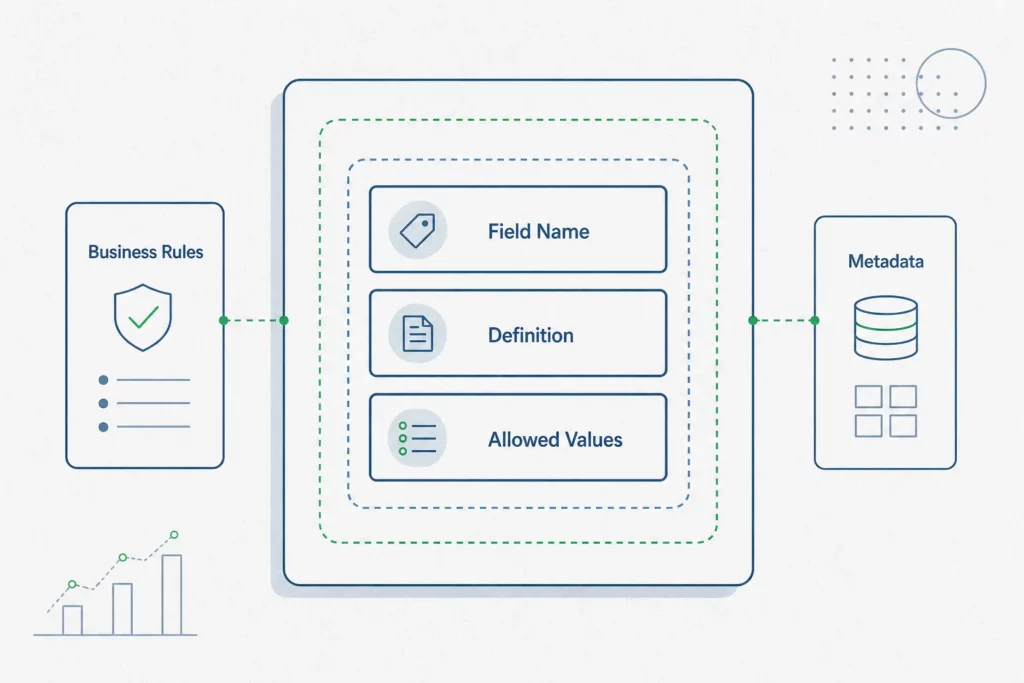
    A data dictionary is a centralized repository that defines every data element in a system: what it represents, how it is structured, what values it accepts, and who is responsible for it. It serves as the authoritative reference that bridges the gap between raw database schemas and the business meaning those schemas encode.

    Definition and purpose

    At its most basic level, a data dictionary answers five questions about each field in your database. Harvard’s biomedical data management program frames these as: What is it? What does it mean to the business? What values can it contain? How is it produced or calculated? Who is responsible for it? These five questions form the minimum contract between your data and the people who rely on it.

    The dictionary does not replace your schema – it annotates it. Where your schema tells a database engine that order_status is a VARCHAR(20), a data dictionary tells your analyst that it accepts exactly four values (pending, confirmed, shipped, cancelled), that pending orders older than 72 hours trigger an escalation rule, and that the Customer Operations team owns the definition.

    Why data dictionaries matter for your organization

    Without a shared reference, different teams build conflicting understandings of the same data. A developer calls a column cust_id; a business analyst refers to it as “Account Number”; a support agent calls it “Customer Reference.” Each is correct in their own context – but without documentation linking these together, onboarding takes longer, queries return unexpected results, and governance audits become painful. A well-maintained dictionary eliminates this ambiguity and provides the consistent terminology that sound data governance requires, as noted in data governance research: dictionaries enforce governance policies, prevent unauthorized schema changes, and support compliance requirements.

    Core Best Practices for Data Dictionary Success

    Building a dictionary that teams actually use requires more than listing column names and types. Four practices determine whether a dictionary becomes a genuine source of truth or an abandoned document.

    Define every data element with complete clarity

    Every field entry should stand on its own. A definition like “the date” is not a definition – it forces the reader to infer context from the column name alone, which defeats the purpose. A complete definition states what event or state the date captures (order_created_at = the UTC timestamp when the order record was first inserted by the checkout service), the system that generates it, and any caveats (for example, records migrated before a certain cutoff carry a placeholder value).

    Separate business, technical, and operational metadata

    A single data element carries three distinct layers of information, and conflating them makes the dictionary harder to use. Vassar College’s data governance framework defines these layers precisely: Business metadata covers the definition, owner, sensitivity classification, and business rules. Technical metadata covers data type, length, database location, constraints, and foreign key relationships. Operational metadata covers refresh frequency, last update timestamp, and quality metrics. Business users need the first layer; engineers building pipelines need the second; data stewards monitoring quality need the third. Separating them means each audience can navigate to the information they need without wading through irrelevant detail.

    Establish consistent naming conventions across systems

    Naming conventions are the grammar of your data model. The USGS data management guidelines recommend adopting either snake_case or camelCase consistently across all tables, using singular names for entity tables, and applying standardized suffixes: _id for primary and foreign keys, _date for calendar dates, _timestamp for datetime values, _amount for monetary figures, and _count for integer tallies. The rule against unexplained abbreviations is equally important – cust_ltv_amt carries meaning only if every team member knows the abbreviation table. When in doubt, spell it out.

    Document valid values, codes, and constraints

    Columns that accept a bounded set of values are among the most error-prone fields in any system. A dictionary entry for an enumerated column should list every valid value, its business label, and a plain-language description of what it represents. Constraints matter too: a NOT NULL field with no default has different failure modes than a nullable field. Documenting these prevents data entry errors, guides developers writing validation logic, and helps analysts write queries that account for every case.

    What Should Your Data Dictionary Include?

    data dictionary components

    The fields you include determine how useful the dictionary is across different contexts and teams.

    Essential metadata structure and fields

    According to California’s Open Data publisher guidelines, a dictionary entry should document at minimum: field name, business label, definition, data type, format, nullability, allowed values, an example, the source system, and the data owner or steward. This ten-field baseline covers both the technical and business layers, giving developers and analysts what they need without requiring a lengthy authoring process for each field.

    Comparison: minimum vs. comprehensive dictionaries

    A minimum viable dictionary gets teams unblocked quickly. A comprehensive dictionary serves compliance, auditing, and cross-system integration. The difference lies in depth rather than structure: a minimum entry defines what a field is; a comprehensive entry also documents why it exists, what business process created it, how it relates to fields in other tables, its lineage, and its quality score. Teams starting from scratch should target the minimum baseline and expand entries as understanding matures, rather than delaying publication until every field has a complete record.

    Template table: required fields and examples

    The table below illustrates how a minimum dictionary entry looks for a common SQL field:

    FieldExample value
    Field namecustomer_status
    Business labelCustomer Account Status
    DefinitionCurrent lifecycle stage of the customer account
    Data typeVARCHAR(20)
    NullableNo
    Allowed valuesactive, inactive, suspended, closed
    Exampleactive
    Source systemCRM application
    Owner / StewardCustomer Success team

    Writing Effective Definitions for Data Teams

    The quality of a data dictionary is determined almost entirely by the quality of its definitions. A well-structured entry with a vague definition is still useless.

    Business definitions vs. technical specifications

    Business definitions and technical specifications serve different readers and should be written separately. A business definition explains what the field means in operational terms – “Revenue recognized in the billing period, net of refunds and discounts, in USD” – without referencing implementation details. A technical specification documents data type, constraints, the originating stored procedure, and the transformation applied. Mixing them produces entries that are too technical for business users and too imprecise for engineers.

    Handling NULL values, missing data, and edge cases

    NULL is one of the most misunderstood values in SQL databases, and a dictionary that ignores it creates silent analytical errors. Each nullable field should explicitly document what NULL means in context: does it indicate the data was never collected, that the event has not yet occurred, or that the value is genuinely unknown? A field like shipped_at being NULL may mean the order is not yet shipped or that it was fulfilled through a channel that does not report timestamps. Both scenarios require different handling in downstream queries, and only the dictionary can clarify the distinction.

    Documenting derived fields and calculations

    Calculated fields and derived columns carry hidden logic that can silently change when underlying fields are modified. The dictionary should document the formula in plain language alongside the SQL expression, reference every input field the calculation depends on, and note any business rules that govern edge cases (for example, how the formula handles returns or negative adjustments). This makes the field auditable and ensures that changes to input fields trigger a review of affected derived columns. For a broader view of how to document a database including views and stored procedures, a structured documentation approach applies the same principles at scale.

    Ownership, Version Control, and Maintenance

    A data dictionary without governance is a document that decays. The practices in this section determine whether your dictionary remains trustworthy as systems evolve.

    Assigning data ownership and stewardship

    Every field in the dictionary should have a named owner – a person or team accountable for keeping the definition accurate. Data stewardship does not require technical expertise; it requires domain knowledge. A Customer Operations team is better positioned to own the definition of order_status than the engineering team that maintains the table. Ownership should be recorded in the dictionary itself, making accountability visible and ensuring that when a field changes in the source system, there is a clear person to notify.

    Keeping your dictionary current as systems evolve

    Schema drift is the most common cause of dictionary failure. As OvalEdge’s research on data dictionary maintenance confirms, without version control, a regular review cadence, and automated metadata syncing, dictionaries diverge from source systems and lose the trust of the teams that depend on them. The answer is not more documentation ceremonies – it is automation. Tools that connect directly to your database schemas and surface changes when columns are added, renamed, or deprecated make it possible to keep documentation current without relying solely on manual updates.

    Preventing data dictionary drift

    Drift happens incrementally. A column is renamed in a migration and no one updates the dictionary. A new nullable field is added without a definition. An enumerated value is retired but still appears in the allowed values list. Over time, these small gaps compound into a dictionary that developers distrust and business users stop consulting. The solution is to make documentation updates part of the same workflow as schema changes – not a separate task scheduled for later. Linking database relationship diagrams to dictionary entries provides an additional visual check that structural relationships match documented intentions.

    Implementing Best Practices: Data Quality and Governance

    building a data dictionary

    Data dictionaries are not passive reference documents – they are active governance instruments that shape how data is collected, validated, and used across the organization.

    Data quality rules and validation thresholds

    Each field entry can carry machine-readable quality rules: NOT NULL constraints, regex patterns for formatted fields like email addresses or phone numbers, referential integrity rules linking foreign keys to parent tables, and acceptable value ranges for numeric fields. When these rules are documented alongside the field definition, quality checks can be generated automatically from the dictionary rather than handcrafted in validation pipelines. This makes the dictionary both descriptive and prescriptive.

    Governing access and maintaining accuracy

    A dictionary that anyone can edit without oversight will accumulate conflicting definitions. A dictionary that only specialists can edit will fall behind. The right balance is a contribution model where any team member can propose changes, but a designated steward approves updates to definitions, ownership, and business rules. Change history should be visible – knowing when a definition changed and who approved it is as important as knowing what the current definition says, particularly for regulated data.

    Integration with your broader data strategy

    A data dictionary is most powerful when it connects to the rest of your data infrastructure. Definitions documented in the dictionary should align with the terminology used in reports, dashboards, and cross-functional communications. When the dictionary serves as the single reference that everyone – developers, analysts, product managers, and support teams – consults to resolve disagreements about data meaning, it fulfills its governance role. SQL teams working across PostgreSQL, MySQL, and SQL Server can particularly benefit from a single dictionary that abstracts platform-specific syntax differences behind shared business definitions.

    Common Mistakes and How to Avoid Them

    Several patterns consistently undermine data dictionary efforts, and recognizing them early saves significant rework.

    The most damaging mistake is treating the dictionary as a one-time deliverable. A dictionary written during a project kickoff and never updated becomes outdated within weeks as the schema evolves. This is the central insight that separates teams with effective documentation from those with abandoned wikis: the goal is not perfect documentation on day one, but a documentation system that stays synchronized with your actual schema as it evolves.

    A second common failure is prioritizing completeness over accuracy. A dictionary with 500 fields, half of which have stale or incorrect definitions, is worse than a dictionary with 200 accurate entries. Inaccurate documentation actively misleads analysts and creates errors in downstream systems. Start with the fields teams use most frequently, document them well, and expand from there.

    A third mistake is writing definitions for a single audience. A definition written entirely in technical terms excludes business stakeholders; a definition written entirely in business language leaves engineers without the implementation details they need. The three-layer metadata approach – business, technical, and operational – solves this directly.

    Finally, skipping naming conventions because they feel like overhead creates compounding problems as the schema grows. Inconsistent naming forces every new team member to reverse-engineer meaning from column names, making the dictionary harder to maintain and queries harder to write. Establishing conventions early, even a simple set of rules, pays dividends across the lifetime of the system.

    Frequently Asked Questions

    What should be included in a data dictionary?

    At minimum, each entry should document the field name, a business label, a plain-language definition, data type, format, nullability, allowed values, a representative example, the source system, and the data owner or steward. Mature dictionaries add sensitivity classification, lineage, quality metrics, and the business rules governing how the field is populated and used.

    How do I create an effective data dictionary?

    Start by connecting to your existing database schema to extract field names and technical metadata automatically – this eliminates the blank-page problem. Then layer in business definitions by involving domain experts, not just engineers. Assign ownership to each field, establish a naming convention for any new fields, and set a review cadence that aligns with your release cycle. Automate as much of the synchronization as possible so updates to the schema surface in the dictionary without manual intervention.

    What is the difference between a data dictionary and a business glossary?

    A business glossary defines business terms and concepts – “Customer,” “Active Contract,” “Churn” – independent of any specific database field. A data dictionary defines specific data elements as they exist in a system, with technical metadata attached. The two complement each other: the glossary establishes shared business vocabulary, while the dictionary maps that vocabulary to concrete fields, types, and constraints. Many organizations maintain both and link glossary terms to the dictionary entries that implement them.

    How often should you update your data dictionary?

    Updates should be triggered by schema changes, not by a calendar. Every time a column is added, renamed, deprecated, or has its allowed values changed, the dictionary entry should be reviewed within the same sprint or release cycle. Beyond event-driven updates, a quarterly review of high-priority tables – those that feed reports, drive operational decisions, or carry regulated data – catches drift that slips through change management processes.

    Why is a data dictionary important for data governance?

    Data governance depends on consistent, shared definitions of what data means and who is responsible for it. Without a dictionary, governance policies exist in isolation from the data they govern. The dictionary makes governance operational by attaching rules, ownership, and sensitivity classifications directly to the fields they apply to. It also provides an audit trail: when a compliance question arises about how a field was defined or who approved a change, the dictionary is the authoritative record.

    How do you prevent data dictionary drift?

    Drift prevention requires three things working together: automated schema synchronization that detects when source systems change, a clear ownership model so there is always a named person responsible for each entry, and a contribution workflow that makes updating the dictionary the path of least resistance rather than an afterthought. Manual-only documentation processes will always lag behind fast-moving schemas. Connecting your documentation layer directly to your live database schemas – as SQLInfo does for PostgreSQL, MySQL, and SQL Server – means changes surface automatically rather than silently accumulating into gaps.

  • Database Relationship Diagrams Explained (2026)

    Database Relationship Diagrams Explained (2026)

    Database Relationship Diagrams Explained (2026)

    Database Relationship Diagrams: Building the Blueprint for Better Data Documentation in 2026

    Database relationship diagrams (ERDs) are visual blueprints that map entities, attributes, and relationships within a database system. Using industry-standard notations like Crow’s Foot, ERDs help teams communicate complex data structures, reduce redundancy, and catch design issues early. Whether you’re designing an e-commerce platform, healthcare system, or financial application, ERDs provide a shared understanding of how data flows and connects – making them valuable for database developers, architects, analysts, and non-technical stakeholders alike. The challenge most teams face in 2026 is not creating ERDs, but keeping them synchronized with fast-moving production schemas.

    What Is a Database Relationship Diagram?

    A database relationship diagram – commonly called an Entity-Relationship Diagram or ERD – is a structured visual representation of the tables, fields, and connections that make up a relational database. As IBM defines it, ERDs function as both a blueprint for initial database design and a reference point for debugging and reengineering after deployment (verified 2026-08-29). That dual-purpose nature is precisely what gives them staying power across the full data lifecycle.

    Definition and core components

    An ERD is built from three fundamental components. Entities represent the objects or concepts being tracked – typically the tables in a relational database, such as Customer, Order, or Product. Attributes are the properties of each entity – the columns in a table, like customer_id, email, or created_at. Relationships describe how entities connect: a customer places orders, a product belongs to a category.

    These three components – entities, attributes, and relationships – are the vocabulary of every ERD regardless of notation style or tooling. They translate directly into tables, columns, and foreign keys when the schema is implemented.

    How ERDs differ from other data visualization methods

    ERDs are frequently confused with data flow diagrams (DFDs), but the two serve different purposes. A DFD models how data moves through a system – inputs, processes, outputs, and storage. An ERD models the structure of data at rest: what exists, what it looks like, and how pieces relate. Where a DFD answers “how does data travel?”, an ERD answers “how is data organized?”. Both are legitimate documentation tools; they just address different questions.

    Why ERDs have become a database design standard

    ERDs emerged from Peter Chen’s foundational 1976 paper and have since been adopted across industries because they translate inherently abstract schema logic into something human-readable. A developer can read a schema by scanning table definitions; a product manager cannot. An ERD bridges that gap without requiring SQL literacy, which is why they remain a design standard across enterprise and startup environments alike.

    Why Do Database Relationship Diagrams Matter to Your Organization?

    Relational databases grow in complexity faster than documentation keeps pace. As Atlassian notes, ERDs help eliminate data redundancy while ensuring data integrity in relational databases (verified 2026-08-29) – two problems that compound silently until they surface as production bugs or incorrect reporting.

    Improving communication across technical and non-technical teams

    Schema logic written purely in SQL is accessible only to engineers with database experience. An ERD makes the same information readable by analysts, product managers, and support teams. When a new team member joins, a well-maintained ERD cuts onboarding time significantly because the data structure becomes self-explanatory. When a business stakeholder needs to understand why a report behaves a certain way, pointing to an ERD is faster and more precise than narrating table structures verbally.

    Reducing data redundancy and ensuring data integrity

    Without a visual overview of the schema, engineers working on different parts of the same system will often create overlapping tables or duplicate attributes that serve the same purpose. An ERD makes these collisions visible before they reach production. It also surfaces missing foreign key constraints and relationships that would otherwise allow orphaned records – records that reference deleted parent rows – to accumulate over time and silently corrupt analytical outputs.

    Catching schema design issues before deployment

    A schema flaw is cheapest to fix when it exists only on paper. Normalizing a table structure after data has been loaded, after application code has been written around it, or after reporting queries have been built on top of it is an expensive operation. ERDs make structural decisions explicit at the point where they’re easiest to revise – during design.

    Understanding ERD Symbols and Cardinality Notation

    Infographie : Understanding ERD Symbols and Cardinality Notation

    Reading an ERD fluently requires knowing its notation conventions. The symbols are not arbitrary; they encode precise logical rules about how records in one table relate to records in another.

    Crow’s Foot notation: the industry-standard symbols

    Crow’s Foot notation is the most widely used ER diagram notation standard in relational database design (source: freeCodeCamp, verified 2026-08-29). The name comes from the three-pronged symbol that indicates “many” on the end of a relationship line – it resembles a bird’s foot. On the opposite end, a single vertical bar means “exactly one” and a circle means “zero”. Combinations of these symbols define the precise cardinality of each relationship.

    Reading cardinality: one-to-one, one-to-many, and many-to-many

    Cardinality specifies how many instances of one entity can be associated with instances of another. According to Creately, cardinality in ERDs is represented using six combinations: zero-or-one, exactly-one, zero-or-many, and one-or-many on each side of a relationship (verified 2026-08-29).

    In practice:

    • A one-to-one relationship (user to user_profile) means each record on the left maps to exactly one record on the right.
    • A one-to-many relationship (customer to orders) means one customer can have many orders, but each order belongs to one customer.
    • A many-to-many relationship (products to tags) requires a junction table to resolve the association at the database level.

    Misreading cardinality is one of the most common ERD errors. A line drawn the wrong way implies a foreign key constraint that doesn’t exist, or fails to imply one that does – leading to schema implementations that don’t match the intended data model.

    Entity attributes and primary keys in ERD representation

    In most ERD notations, entity boxes list the attributes of the table. The primary key – the attribute that uniquely identifies each row – is typically underlined or marked with a key icon. Foreign keys, which create the joins between tables, are often shown in italic or marked explicitly to distinguish them from regular attributes. A clean ERD shows enough attribute detail to understand the data model without replicating the full column definitions of every table.

    Real-World Use Cases: Where ERDs Drive Success

    ER diagrams are used across four primary domains: business information systems, healthcare, education, and financial services (source: Built In, verified 2026-08-29). Each domain has structural patterns that ERDs capture naturally.

    E-commerce and CRM systems: customer and order management

    In an e-commerce context, the core ERD typically centers on the relationship between Customer, Order, OrderLine, and Product. A customer places many orders; each order contains multiple order lines; each order line references one product. Capturing this in an ERD before writing a single query ensures that foreign keys, cascading deletes, and inventory update logic are built around the correct data structure from the start.

    Healthcare: patient records and billing workflows

    Healthcare databases are among the most structurally complex in any industry. A Patient entity connects to Appointments, Diagnoses, Prescriptions, and Billing records – often with regulatory requirements about how those connections must be preserved or anonymized. An ERD makes these dependencies visible to compliance teams who need to verify data governance without reading raw SQL definitions.

    Educational platforms: enrollment and grade management

    An educational platform tracks students, courses, enrollments, instructors, and grades. Many-to-many relationships appear throughout: a student enrolls in many courses; a course has many students. ERDs help platform architects resolve these into proper junction tables (Enrollment) early, preventing the data model from accruing technical debt through ad hoc schema decisions.

    Financial systems: transaction and account tracking

    Financial databases demand strict referential integrity. A Transaction must always reference a valid Account; an Account belongs to a Customer. ERDs make these constraints explicit and provide auditors with a visual reference they can cross-check against implemented constraints – without requiring direct database access.

    How to Create an Effective Database Relationship Diagram

    Illustration : How to Create an Effective Database Relationship Diagram

    Building a useful ERD follows a repeatable process. The goal at each step is to make an explicit decision rather than leaving structure implicit.

    Step 1: Identify entities and attributes

    Start by listing the objects your system needs to track. For each object, identify its attributes – the data points you need to store per instance. At this stage, focus on completeness rather than precision. It is easier to remove attributes than to discover missing ones after the schema has been built out.

    Step 2: Define relationships and cardinalities

    For every pair of entities, ask: can an instance of A exist without an instance of B? Can one A relate to many Bs? Express these rules as cardinality constraints on your diagram. Decisions made here translate directly into foreign keys, NOT NULL constraints, and cascade behaviors in the implementation.

    Step 3: Normalize your design to prevent anomalies

    Normalization is the process of organizing tables to reduce redundancy and protect data integrity. First Normal Form (1NF) eliminates repeating groups; Second Normal Form (2NF) removes partial dependencies; Third Normal Form (3NF) eliminates transitive dependencies. An ERD that reflects a normalized schema prevents the update, insert, and delete anomalies that corrupt databases over time.

    Step 4: Document and validate with stakeholders

    Once the diagram is drawn, walk through it with the people who will use the system – not just developers. A product manager can often identify missing entities that the technical team took for granted. A data analyst can spot attributes that will make future reporting impossible. Validation at this stage is the difference between a schema that serves the business and one that serves only the use cases the engineers happened to think of. For a detailed breakdown of this workflow, the database documentation best practices on SQLInfo cover how to structure this process end-to-end.

    From Static Diagrams to Live Schema Visualization

    The most underserved problem in database documentation is not how to draw an ERD – it is how to keep one accurate after the schema has been deployed and is changing week over week.

    Bridging the gap between design and implementation

    Every schema starts with a design artifact. But the moment a migration runs, that artifact begins to drift from reality. Columns are added, tables are renamed, foreign key constraints are dropped for performance reasons. The ERD that was accurate on release day describes a schema that no longer exists six months later. For teams that rely on that ERD for onboarding, debugging, or compliance reviews, the discrepancy is a liability.

    Why static ERDs become outdated quickly

    In fast-moving development environments, schema changes often happen without any corresponding update to documentation. This is not negligence – it is a structural problem. When an engineer adds a column, the natural workflow is to write the migration, run it, and move on. Updating a separately maintained diagram requires context-switching to a different tool, finding the relevant entity, and manually editing the representation. Under deadline pressure, this step is skipped. The result is documentation that is selectively trustworthy – and documentation that cannot be trusted selectively is often not used at all.

    Keeping ERD documentation synchronized with actual database schemas

    The solution is to flip the workflow: instead of maintaining ERDs manually and hoping they stay current, generate them automatically from the live schema. When documentation is derived directly from the database – not maintained separately alongside it – it cannot drift. Every schema change surfaces immediately in the visual representation.

    SQLInfo’s schema visualization features take this approach: the diagram is not a static file but a live view of the actual relationships present in the schema at any given moment. Combined with automatic schema import from live databases, the ERD becomes a source of truth rather than a record of intent. Because the agent CLI runs locally, raw schema data never leaves the client’s infrastructure – which matters in regulated industries where even metadata about database structure is subject to governance requirements.

    This shift from “ERD as design artifact” to “ERD as living documentation” changes how teams use diagrams. Rather than consulting an ERD only at the start of a project, engineers and analysts reference it continuously as a navigational tool for the production database.

    Frequently Asked Questions About Database Relationship Diagrams

    What is the difference between an entity relationship diagram and a data flow diagram?

    An entity relationship diagram models the static structure of data: which entities exist, what attributes they carry, and how they relate to one another. A data flow diagram models the dynamic movement of data through a system – inputs, processes, outputs, and data stores. ERDs answer the question “how is data organized?”; DFDs answer “how does data move?”. Both are useful, but they document different aspects of a system and should not be treated as interchangeable.

    How do you read cardinality symbols in a Crow’s Foot ERD?

    Each end of a relationship line in Crow’s Foot notation carries two symbols: one indicating the minimum (zero or one) and one indicating the maximum (one or many). A circle represents zero; a single vertical bar represents one; a crow’s foot (three-pronged mark) represents many. To read the cardinality of a relationship, look at both ends of the line: the symbols closest to each entity tell you the minimum and maximum number of instances of that entity that can participate in the relationship.

    What are the key steps to creating an ERD from an existing database?

    Start by extracting the current schema – table definitions, column names, data types, primary keys, and foreign keys. Most database management systems expose this through information schema views or dedicated introspection queries. Map each table to an entity and each column to an attribute. Then trace the foreign key relationships between tables to establish the connections. The resulting diagram reflects the schema as implemented, which may differ from any original design documentation that exists. Tools that support automatic schema import can perform this extraction automatically, eliminating the manual transcription step.

    Why do ERDs become outdated and how can teams keep them current?

    ERDs become outdated because maintaining them manually requires a deliberate action that sits outside the normal development workflow. Every migration that does not trigger a corresponding diagram update creates drift. The practical solution is automation: when an ERD is generated directly from the live schema rather than maintained by hand, it updates whenever the schema does. Teams that treat their ERD as a derived artifact rather than a manually curated document eliminate the root cause of drift rather than relying on discipline to prevent it.

    Can ERDs be created automatically from database schemas?

    Yes. Most modern database documentation platforms can introspect a live schema and generate a relationship diagram from it automatically. The process typically involves connecting to the database, reading the information schema, and mapping foreign key constraints to relationship lines. The resulting diagram accurately reflects the actual schema – not a design that may have diverged from implementation over time. For PostgreSQL, MySQL, and SQL Server environments, this introspection is straightforward and does not require any schema modifications.

    What are common mistakes to avoid when designing entity relationship diagrams?

    The most frequent mistakes fall into a few clear categories. Missing cardinality notation leaves the diagram ambiguous about whether relationships are mandatory or optional – which translates into missing NOT NULL or foreign key constraints in the implementation. Overloading entities with attributes that belong to related entities creates wide, unnormalized tables. Using unclear or inconsistent naming conventions makes the diagram harder to read and the schema harder to query. And perhaps the most operationally costly mistake: treating the ERD as a one-time deliverable rather than a living document that must stay synchronized with the production schema as it evolves.