

SQL Documentation Tools That Actually Save Your Team Hours
SQL documentation tools automate the creation and maintenance of database documentation, saving development teams hours of manual work each week. They provide centralized schema documentation, interactive visualizations, and collaborative workflows that help teams understand database structure faster. Modern solutions offer multi-database support, real-time updates, and team collaboration features – essential for reducing onboarding time, preventing errors, and maintaining compliance. Choosing the right tool depends on your database platforms, team size, automation needs, and data governance requirements.
The productivity cost of poor documentation is measurable. According to JetBrains research (2026), developers waste 21.8 hours per week – more than half a standard work week – searching for documents and project information. That number compounds fast across teams of any size. A dedicated SQL documentation tool turns this from a recurring loss into a solved problem.
Table of contents
- What Is a SQL Documentation Tool?
- Why SQL Documentation Matters for Development Teams
- How to Choose the Right SQL Documentation Tool?
- SQL Documentation Tools: Top Solutions Compared for 2026
- Best Practices for Implementing SQL Documentation in Your Organization
- Frequently Asked Questions
- Recommended Reading
What Is a SQL Documentation Tool?
A SQL documentation tool is a platform that captures, organizes, and presents the structure and meaning of a relational database – its tables, columns, relationships, constraints, and metadata – in a human-readable, searchable format. Rather than asking a developer to write everything by hand in a spreadsheet or wiki, these tools connect directly to your database and generate documentation from the schema itself.
The output typically includes a living data dictionary, Entity-Relationship Diagrams (ERDs), column-level annotations, and relationship maps. The best tools also allow team members to add business context – descriptions, ownership, tags – on top of the technical structure extracted automatically.
Key Capabilities and Features
A capable SQL documentation tool covers at minimum: schema import (manual upload or live connection), automatic metadata extraction, visual schema diagrams, searchable data dictionaries, and some form of access control for teams. More advanced platforms add real-time collaboration, change tracking, multi-database support across PostgreSQL, MySQL, and SQL Server, and integration into CI/CD workflows.
The distinction between a basic diagramming tool and a proper documentation platform is collaboration and automation. A diagram shows structure; a documentation platform explains it, keeps it current, and makes it accessible to every stakeholder – from backend developers to product managers and support teams.
How They Differ from Manual Documentation
Manual database documentation – typically a mix of shared spreadsheets, Confluence pages, and informal comments in SQL files – has a fundamental flaw: it decays. The moment a table is altered or a column is renamed, the documentation is outdated unless someone explicitly updates it. That rarely happens under delivery pressure.
Automated tools solve this by tying documentation directly to the schema. Changes in the database surface in the documentation without requiring a dedicated maintenance effort. This is the structural difference that makes automation worth the investment, not just a convenience.
Why SQL Documentation Matters for Development Teams
Poor documentation is not a minor inconvenience – it is a measurable drain on engineering capacity that compounds across every sprint, onboarding cycle, and incident response.
The Cost of Missing or Outdated Documentation
According to Document360 research (2026), 14% of employees spend time recreating information that already exists somewhere, at a cost of nearly 350 hours per employee per year. For database documentation specifically, this translates into developers reverse-engineering schemas, asking colleagues to explain table relationships, or making assumptions that lead to bugs.
The JetBrains 2026 developer productivity study reinforces the scale of the problem: 69% of developers lose 8 or more hours per week to inefficiencies, accounting for roughly 20% of their working time. Database knowledge gaps are a primary contributor in organizations without centralized documentation.
Beyond individual productivity, missing documentation creates systemic risks: slower incident resolution, longer onboarding for new engineers, compliance exposure when data lineage cannot be traced, and fragile knowledge concentrated in a few people who become single points of failure.
Benefits of Complete and Collaborative Database Documentation
Well-maintained database documentation shortens onboarding, accelerates query writing, reduces review cycles, and enables non-technical stakeholders to participate meaningfully in data governance conversations. When a product manager or data analyst can look up what a column means without opening a support ticket, the documentation is doing its job.
The market reflects this recognition. According to Research and Markets (2026), the dataset documentation tools market is valued at USD 1.74 billion in 2026 and projected to reach USD 3.91 billion by 2030 – a 22.4% CAGR – driven by demand for automated metadata documentation, compliance-focused cataloging, and unified data governance platforms.
How to Choose the Right SQL Documentation Tool?
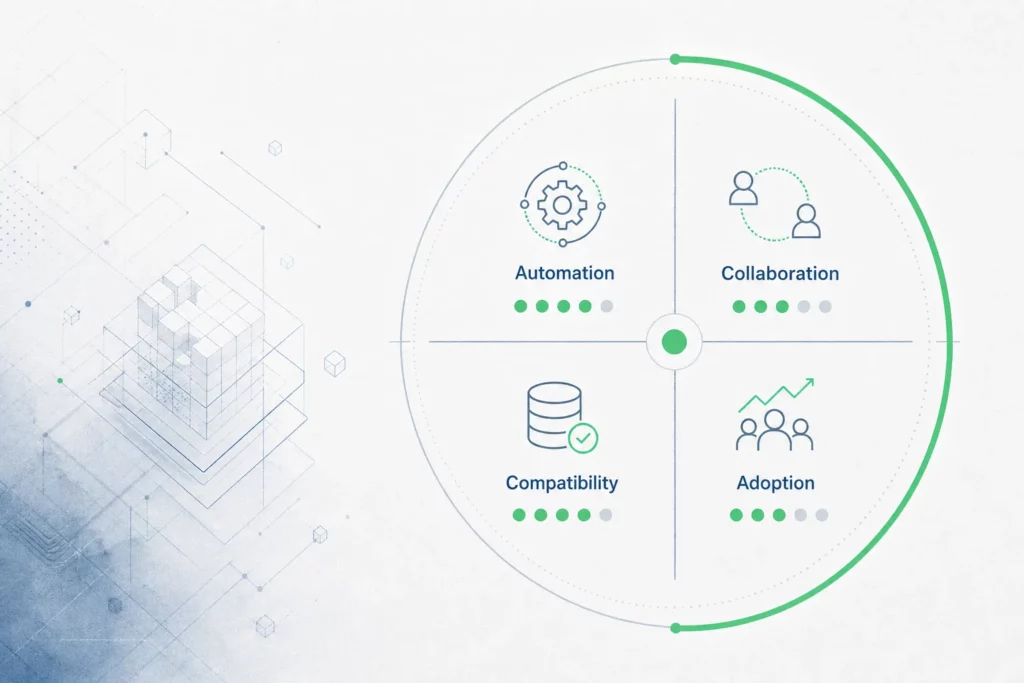
Selecting a SQL documentation tool is a decision that affects every team member who touches data, not just database administrators. The right evaluation framework looks at automation depth, collaboration design, database compatibility, and security posture.
Must-Have Features Checklist
Before shortlisting any tool, verify it covers these non-negotiable capabilities:
- Automated schema import: the tool should extract structure without manual configuration, either via a local agent (for sensitive environments) or a direct connection.
- Multi-database support: if your stack includes PostgreSQL, MySQL, and SQL Server, a tool that covers only one forces you into workarounds.
- Data dictionary generation: column descriptions, data types, relationships, and constraints should be populated automatically and editable by the team.
- Role-appropriate access: developers, analysts, and business stakeholders need different views of the same documentation.
- Security compliance: ISO 27001 certification or equivalent is a baseline requirement in any enterprise context where database metadata is sensitive.
Tools that require heavy configuration before generating their first page of documentation should raise a flag – the time cost rarely pays off.
Evaluating Automation and Collaboration Capabilities
Automation and collaboration are the two axes that separate performant tools from expensive wikis. On automation: does the tool regenerate documentation when the schema changes, or does it require a manual re-import? Does it support a CLI agent that keeps data within your infrastructure rather than sending raw schema data to a third-party cloud?
On collaboration: can multiple team members annotate, comment, and update descriptions simultaneously? Is the documentation a shared living source of truth, or is it a static export owned by one person?
These questions matter because the ROI of a documentation tool is not in the initial setup – it is in the maintenance cost it eliminates over time. A tool with strong real-time collaboration features transforms documentation from a solo burden into a team asset that stays accurate without dedicated overhead.
SQL Documentation Tools: Top Solutions Compared for 2026
With the market expanding at pace, the range of available tools in 2026 spans from open-source schema dumpers to full-featured SaaS platforms with enterprise governance capabilities. The comparison below focuses on approach categories rather than specific vendor names, helping you map requirements to solution types.
What to Compare: Key Selection Criteria
| Criterion | Manual / Wiki-based | Open-Source Schema Tools | SaaS Documentation Platforms |
|---|---|---|---|
| Setup time | Low (start immediately) | Medium (technical config) | Low to medium |
| Automation depth | None | Partial (schema export only) | High (auto-import + live sync) |
| Collaboration | Basic (page editing) | None or minimal | Built-in, real-time |
| Multi-DB support | N/A | Varies by tool | Native (MySQL, PostgreSQL, SQL Server) |
| Security / compliance | Depends on wiki host | Self-managed | ISO 27001 / enterprise-grade |
| Onboarding friction | High (manual entry) | High (technical setup) | Low (freemium, no card required) |
| Data governance | Not structured | Not structured | Structured (dictionary, lineage) |
| Maintenance cost | Very high | Medium | Low (automated updates) |
Manual approaches work for teams of two managing a single small database. As complexity grows – more tables, more team members, more compliance requirements – the maintenance burden of manual documentation increases faster than the team’s capacity to absorb it.
Open-source tools provide useful schema extraction but typically stop at the structural layer. They do not add the business context, collaborative annotation, or governance workflow that transforms a schema dump into actionable documentation.
SaaS platforms designed specifically for database documentation close that gap. They generate the technical layer automatically and provide the scaffolding for teams to build the semantic layer on top, without starting from scratch.
Platform Support and Multi-Database Compatibility
In mixed-stack environments – a common reality in 2026 – multi-database support is not a nice-to-have. An organization running PostgreSQL for its core application, MySQL for a legacy service, and SQL Server for a reporting database needs a single documentation environment, not three separate tools with three separate exports to reconcile.
Native, first-class support for all three engines in one platform eliminates the consolidation overhead and keeps the data dictionary coherent across the entire data infrastructure. When evaluating a tool, test its behavior on your actual stack: does it handle database-specific data types correctly? Does it preserve foreign key relationships across schemas? These details determine whether the generated documentation is actually usable.
Best Practices for Implementing SQL Documentation in Your Organization

Rolling out a SQL documentation tool successfully requires more than picking the right platform. The implementation approach determines how quickly the team adopts it and whether the documentation stays accurate after the first month.
Starting with Automated Schema Import
The fastest path to value is automated schema import – connecting the tool to your database and letting it generate the structural foundation immediately. This gives the team something to react to rather than a blank page to fill. A complete schema with tables, columns, types, and relationships visible on day one eliminates the most time-consuming phase of documentation projects.
For organizations where database credentials cannot leave the internal network – a standard constraint in finance, healthcare, and enterprise environments – a local CLI agent that runs within the infrastructure and pushes only schema metadata (never raw data) to the documentation platform is the appropriate architecture. This approach satisfies security requirements without sacrificing the automation benefit.
Once the structural layer is in place, prioritize annotating the tables and columns that generate the most questions from non-technical stakeholders. Start there, not with the most complex tables.
Building a Collaborative Documentation Workflow Across Teams
Documentation accuracy degrades when ownership is concentrated in one person. The most resilient implementations distribute ownership across roles: database developers own structural accuracy, domain analysts own business descriptions, and team leads own governance tags and access policies.
A practical workflow assigns a documentation review checkpoint to the same ticket or pull request where schema changes are made. When a column is added, its description is added at the same time – not in a separate documentation sprint three months later. This habit, enforced by tooling that surfaces missing annotations, is what keeps documentation from drifting out of sync with reality.
The teams that see the highest long-term value from a documentation platform are those that make the tool the single source of truth for database questions – accessible to developers, analysts, product managers, and support staff without requiring intermediaries. When anyone can look up a table definition, a foreign key relationship, or a column’s business meaning in 30 seconds, the 21.8 hours per week currently lost to information search become recoverable capacity.
Frequently Asked Questions
What is a SQL documentation tool?
A SQL documentation tool is a platform that automatically extracts and organizes database structure – tables, columns, relationships, and metadata – into a readable, searchable documentation layer. It replaces manual wiki pages and spreadsheets with a living document that stays aligned with the actual schema, often enriched with business context added collaboratively by the team.
Why is database documentation important for development teams?
Without structured documentation, teams spend significant time reconstructing knowledge that already exists. Research from Document360 (2026) puts the cost at nearly 350 hours per employee per year in recreated information alone. For development teams specifically, that manifests as slower onboarding, more bugs from misunderstood data structures, and fragile institutional knowledge concentrated in a small number of people.
What features should you prioritize when choosing a SQL documentation tool?
Prioritize automated schema import (no manual configuration), native support for your database engines (PostgreSQL, MySQL, SQL Server), real-time collaboration for cross-functional teams, and a security model that meets your compliance requirements. A tool that generates a complete data dictionary on first import, without requiring weeks of setup, will deliver value faster and sustain adoption longer.
Can SQL documentation be automated?
Yes, and automation is now the standard expectation rather than a premium feature. Modern platforms connect to a database, extract the full schema, generate an initial data dictionary, and update documentation when the schema changes – without manual intervention. The human contribution is the semantic layer: descriptions, business rules, ownership, and context that only people familiar with the domain can provide.
How do SQL documentation tools support team collaboration?
The best tools treat documentation as a shared workspace rather than a file. Multiple team members can annotate columns, flag outdated descriptions, leave comments, and update business definitions simultaneously. This model distributes documentation ownership across developers, analysts, and business stakeholders, making the documentation accurate by design rather than dependent on one person remembering to update a spreadsheet.
Ready to turn your database schema into a living, collaborative document your entire team can rely on? Explore SQLInfo’s pricing plans – including a freemium option you can start without a credit card – and generate your first documentation in minutes.